
Blog
IQOS ILUMA ONE Troubleshooting: Fix Common Problems

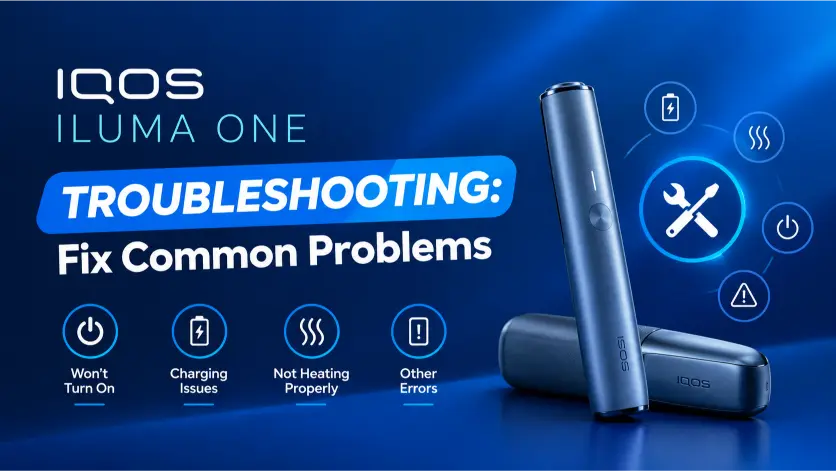
IQOS ILUMA ONE issues often involve charging, indicator lights, TEREA sticks, or temperature. Use this guide to troubleshoot common problems and find the right next step.
What Is IQOS ILUMA ONE?
IQOS ILUMA ONE is an all-in-one heated tobacco device that combines the holder and charger in one unit. It uses the SMARTCORE INDUCTION SYSTEM to heat compatible TEREA sticks and does not use a heating blade. Use TEREA sticks only; HEETS sticks are not compatible.
See the TEREA Japan range for related stick information. Other ILUMA models include the IQOS ILUMA i ONE Black, IQOS ILUMA i Prime, and IQOS ILUMA i Standard. Check your exact model before following model-specific instructions.
Check the Indicator Lights
- Bottom light blinks yellow: The battery is low. Charge the device with the manufacturer-approved adaptor. A full charge takes about 90 minutes.
- Bottom light blinks red: The device may have an error. Reset it using the steps below. Contact IQOS Support if the red light remains.
- All lights blink white twice: The device may be outside its 0°C–40°C operating range. Let it return to that range before using it.
- White lights switch off one by one: This is the session countdown. When one light pulses and the device vibrates, about 30 seconds or two puffs remain.
- Lights do not turn on: Charge the device. If the lights remain off, try resetting it.
Device Will Not Turn On
Tap the button once to check the status lights. Charge the device with the approved adaptor and cable, and check that the outlet works and the charging port is dry. If it remains unresponsive after charging, reset it. Contact IQOS Support if it still will not turn on.
Device Will Not Charge
Check the adaptor, cable, outlet, and charging port. Use approved charging accessories and try a working wall outlet. Look for visible damage or loose connections, and remove loose dust from the port with a dry, soft brush. Do not insert sharp objects.
A fully depleted device may take a short time to show a light. A full charge takes about 90 minutes. Do not charge the device if it is wet, damaged, or unusually hot.
Battery Drains Quickly
A full charge supports up to 20 consecutive uses, though actual results can vary with usage and battery condition. Tap the button to check the charge level. If battery life drops unusually fast after a full charge, contact IQOS Support.
Weak Aerosol or No Aerosol
Use a new TEREA stick and wait for the device to finish preheating. Insert the stick gently up to the marked line; do not twist or force it. A used stick will not produce substantial aerosol. If a new stick still does not work, check the battery and temperature, then reset the device.
Stick Will Not Fit
Use a new TEREA stick only. Insert it gently, with its logo facing up, and stop at the marked line. Do not twist or force it. Check that no broken piece remains inside the chamber, and try another new TEREA stick if needed.
Broken TEREA Stick Stuck Inside
Let the device cool before checking the chamber. Do not force the broken piece out or use sharp metal tools. If it is visible, remove it gently without pushing it farther inside. IQOS UAE advises using a toothpick; stop if the piece resists. Do not insert another stick until the chamber is clear.
Device Gets Too Hot or Stops Mid-Session
The device may stop or fail to start outside its 0°C–40°C operating range. Move it away from direct sunlight or a hot car and let it return to room temperature naturally. Do not cool it with a fridge or water.
Removing the TEREA stick ends the session. If the device repeatedly stops early, check its charge and temperature, then reset it. Stop using it and contact IQOS Support if it leaks, smells unusual, or shows visible damage.
Reset IQOS ILUMA ONE
- Remove the TEREA stick.
- Hold the device button for 7 seconds.
- Release the button and wait for the lights to turn off, blink twice, and turn on.
Contact IQOS Support if the error remains.
Firmware Updates
Check the IQOS App for available firmware updates. Options may vary by country and device version. For compatible models, sign in to your IQOS account and follow the update steps shown for your exact model. Keep the device connected as directed, and do not interrupt an update in progress.
Cleaning and Maintenance
The bladeless ILUMA system does not need internal blade cleaning. Do not insert cleaning sticks, brushes, or sharp tools into the device. Wipe the outside with a soft, dry cloth and keep the device and charging port dry. Remove the TEREA stick after each session.
Battery and Safety
The device has a sealed battery. Do not open or replace it yourself. Do not use or charge a damaged, wet, or modified device. Keep it away from direct heat, moisture, and open flames. Keep the device and TEREA sticks away from children; TEREA sticks contain nicotine and a sharp metal part.
Preventive Tips
| Do | Don’t |
|---|---|
| Use new TEREA sticks | Use HEETS sticks |
| Insert sticks gently | Force or twist sticks |
| Charge with approved accessories | Use damaged cables or adaptors |
| Keep the device dry | Wash or submerge it |
| Use it between 0°C and 40°C | Leave it in direct sun or a hot car |
| Remove the stick after use | Leave a used stick inside |
| Reset after a minor error | Open or repair the device yourself |
Check the battery level before leaving home, and keep TEREA sticks at room temperature.
When to Contact IQOS Support
Contact IQOS Support if the device still will not turn on or charge after troubleshooting, the red light remains after a reset, or new TEREA sticks do not fit. Also seek help if you cannot safely remove a broken stick, the device repeatedly stops mid-session, or the battery drains unusually fast.
For general background on the brand, see IQOS on Wikipedia.
FAQs
Can I use IQOS ILUMA ONE while charging?
Do not use the device while it charges.
Which sticks work with IQOS ILUMA ONE?
Use TEREA sticks only. HEETS sticks are not compatible.
How long does a full charge take?
About 90 minutes with the IQOS AC power adaptor.
How many uses does one charge provide?
Up to 20 consecutive uses, though results can vary.
Can I clean it with alcohol wipes?
Do not use alcohol wipes inside the device. Wipe the outside with a soft, dry cloth.